
Last updated on
Oct 31, 2026

Get the free Residential Rental Contract
We are not affiliated with any brand or entity on this form

Fill out
Complete the form online in a simple drag-and-drop editor.

eSign
Add your legally binding signature or send the form for signing.

Share
Share the form via a link, letting anyone fill it out from any device.

Export
Download, print, email, or move the form to your cloud storage.
Why pdfFiller is the best tool for your documents and forms


End-to-end document management
From editing and signing to collaboration and tracking, pdfFiller has everything you need to get your documents done quickly and efficiently.
Accessible from anywhere
pdfFiller is fully cloud-based. This means you can edit, sign, and share documents from anywhere using your computer, smartphone, or tablet.
Secure and compliant
pdfFiller lets you securely manage documents following global laws like ESIGN, CCPA, and GDPR. It's also HIPAA and SOC 2 compliant.
What is Rental Contract
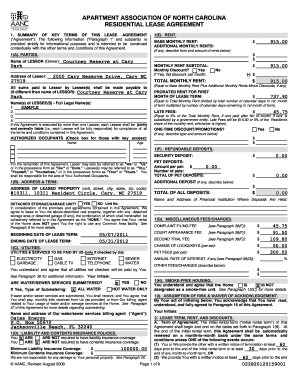
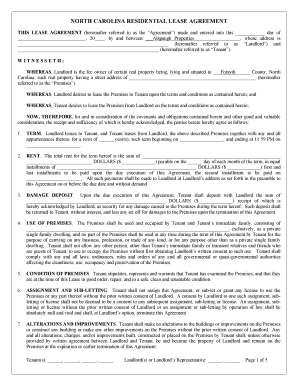
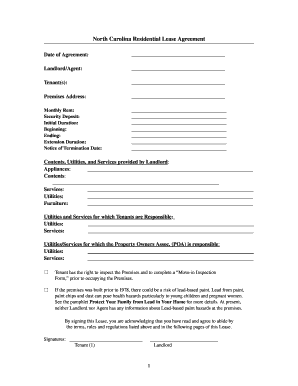
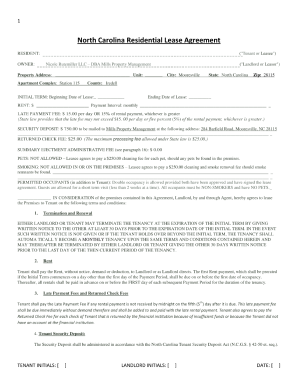
The Residential Rental Contract is a legal document used by landlords and tenants in North Carolina to establish terms for renting property.
pdfFiller scores top ratings on review platforms




Exactly what I expected... easy to learn and comes with a full set of features.
So far works as advertised! professional version should include like a few business features to use like 10 times a week etc. That way I would give it 5 stars!
Who needs Rental Contract?
Explore how professionals across industries use pdfFiller.

Rental Contract is needed by:
-
Tenants looking to rent residential properties
-
Landlords leasing out their real estate
-
Real estate agents managing rental agreements
-
Property management firms involved in leasing
-
Individuals seeking knowledge on tenant rights
-
Lawyers handling residential leases
Comprehensive Guide to Rental Contract
What is the Residential Rental Contract?
The Residential Rental Contract is a vital legal document that establishes a lease agreement between a landlord and a tenant in North Carolina. This contract outlines the terms and conditions of the rental relationship, including responsibilities and rights for both parties involved. It also provides specific guidance regarding the roles of the tenant, landlord, and any involved agents while conforming to North Carolina's real estate regulations.
Purpose and Benefits of the Residential Rental Contract
This contract is essential for both tenants and landlords as it serves multiple purposes. Firstly, it clarifies the responsibilities of each party in the renting process, reducing the likelihood of disputes. Secondly, it protects tenant rights while also safeguarding the interests of landlords. By clearly detailing terms and conditions, it fosters transparency in the rental arrangement, ultimately contributing to a smoother rental experience.
Key Features of the Residential Rental Contract
The Residential Rental Contract contains several key components that are integral to a complete agreement. Important terms typically included are:
-
Rental amount and payment schedule
-
Security deposit requirements
-
Lease duration and renewal conditions
-
Rules regarding pets and occupancy limits
-
Maintenance responsibilities for both parties
Additionally, it is crucial for both the tenant and the landlord to sign the contract, signifying mutual agreement and understanding of the terms.
Who Needs the Residential Rental Contract?
This contract is necessary for various individuals and entities engaged in the rental process. It is essential for landlords renting out residential properties to ensure legal conformity and protect their investments. Tenants seeking to lease a property also require this contract to safeguard their rights. Furthermore, agents play a pivotal role by facilitating the process and ensuring that all parties understand the terms outlined in the agreement.
How to Fill Out the Residential Rental Contract Online
Completing the Residential Rental Contract online is straightforward when following these steps:
-
Access the fillable form on the pdfFiller platform.
-
Provide accurate details in key fields such as 'RESIDENT', 'OWNER', and 'AGENT'.
-
Review the terms to ensure completeness and accuracy.
-
Address common errors, such as incomplete sections or unclear information.
By adhering to these guidelines, users can effectively fill out the contract, minimizing potential pitfalls.
How to Sign the Residential Rental Contract
The signing process is a crucial step in finalizing the Residential Rental Contract. Users can choose between digital signatures and traditional wet signatures. Timely signing by all involved parties is essential to avoid any delays in the rental process. Utilizing the pdfFiller platform allows for secure electronic signing, ensuring that all signatures are collected efficiently and within compliance.
How to Download and Save the Residential Rental Contract PDF
After filling out the Residential Rental Contract, users should follow these steps to manage their document effectively:
-
Select the option to download the completed contract as a PDF.
-
Choose a secure location on your device to save the file.
-
Organize your documents to ensure easy access in the future.
-
Retain a copy for personal records to have a reference for any future disputes or inquiries.
Proper document management is vital for tracking rental agreements and fulfilling legal obligations.
What Happens After You Submit the Residential Rental Contract?
Once the Residential Rental Contract is submitted, several important steps follow. The process typically involves a review of the contract by the involved parties. Users should be aware of the consequences of not submitting the contract on time; delays can lead to complications or misunderstandings. Furthermore, tracking the status of the contract may be necessary to ensure that all parties are aligned and aware of any subsequent actions required.
Security and Compliance for the Residential Rental Contract
Handling legal documents like the Residential Rental Contract requires a strong emphasis on data security. When using pdfFiller, multiple security measures are in place, including 256-bit encryption and compliance with relevant regulations such as HIPAA and GDPR. It is vital for users to practice safe storage and maintain privacy for sensitive information contained within their contracts.
Experience the Ease of Using pdfFiller for Your Residential Rental Contract
Utilizing pdfFiller for filling out the Residential Rental Contract offers numerous advantages. The platform features a user-friendly interface that simplifies the document creation process. Users can also take advantage of additional functionalities, such as editing and eSigning, which enhance overall efficiency. As a secure and reliable choice, pdfFiller is designed to meet the needs of both tenants and landlords in completing their rental agreements online.
How to fill out the Rental Contract
-
1.Access the Residential Rental Contract on pdfFiller by searching for the form in the search bar upon logging in.
-
2.Once the form is open, review the document layout to familiarize yourself with the sections that require input.
-
3.Gather necessary information before starting, such as the full names of the tenant, landlord, and agent, rental property address, lease term, monthly rent amount, and security deposit information.
-
4.Fill in the tenant's information in the designated space, noting any specific requirements for personal identification.
-
5.Next, proceed to fill out the landlord's information, ensuring all details are accurate.
-
6.If applicable, add the real estate agent's information, even though their signature is not required.
-
7.Navigate through the document using pdfFiller's tools to complete other necessary fields, like rental terms, late fees, and pet rules.
-
8.Make sure you read all condition clauses to understand obligations related to utilities and maintenance.
-
9.Once all fields are filled, review the entire document carefully for accuracy and completeness.
-
10.Use pdfFiller's editing tools to make any necessary changes before finalizing the contract.
-
11.Save your progress regularly; click the 'Save' button to ensure your information isn't lost.
-
12.After reviewing the completed form, choose the 'Download' option to save the contract as a PDF to your device.
-
13.If you need to submit the form, check with the relevant parties for their preferred submission method, either via email or by physical delivery.

Who is eligible to use the Residential Rental Contract?
The Residential Rental Contract is designed for landlords and tenants engaging in a rental agreement in North Carolina. Both parties must provide accurate information within the form.
Are there any deadlines for submitting this rental contract?
There are generally no strict deadlines for submitting a Residential Rental Contract; however, it is advisable to complete and finalize the lease agreement before the tenant moves into the property.
What methods can be used to submit the completed form?
Completed forms can be submitted through email or handed directly to the relevant parties. Ensure you save a copy of the signed contract for your records.
What supporting documents should accompany the contract?
While specific supporting documents are not outlined, it's common to include proof of income, background check authorization, or other tenant verification documents intended for landlords.
What are common mistakes to avoid when filling out the contract?
Common mistakes include incomplete fields, incorrect personal information, not specifying rental terms clearly, or failing to understand legal obligations outlined within the contract.
How long does processing take once the contract is completed?
Typically, processing of the Residential Rental Contract is immediate once it is signed and exchanged between the parties. However, full records should be maintained throughout the rental term.
What unique features does the Residential Rental Contract contain?
The Residential Rental Contract includes key features such as sections for tenant rights, landlord obligations, rules for pets, and details about utilities, ensuring clarity for all parties involved.
Related Content
Related Forms




Related Catalogs
Get the latest insights from our blog



If you believe that this page should be taken down, please follow our DMCA take down process
here
.
This form may include fields for payment information. Data entered in these fields is not covered by PCI DSS compliance.